

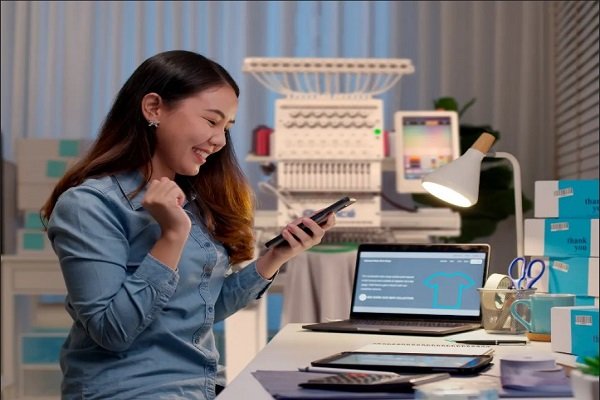
Embroidery is fun and creative. But it can also be tricky. One small mistake in your file can ruin the final result. Many people face this problem when they use the wrong file format or poor settings.
When you work with embroidery files, you need clean and correct formats. This is where OFM Embroidery File Conversion becomes very important. It helps your design run well on your machine without errors or breaks.
Why File Conversion Matters in Embroidery
Not all machines read the same file type. Each machine needs a special format. If your file is not in the right format, the machine may not read it.
Common Problems Without Conversion
- Design does not load
- Stitches look messy
- Machine stops in the middle
- Colors change
These issues waste time and fabric.
Understanding Embroidery File Formats
Before you convert a file, you must know about formats.
Popular File Types
DST
Used by many machines. It is simple and fast.
PES
Used by home machines. It stores color info.
EXP
Used for basic designs. It has less data.
JEF
Used in some home embroidery machines.
How Embroidery Files Work
Embroidery files are not like images. They do not store pixels. They store stitch data.
What Is Inside a Stitch File?
Stitch Path
Shows where the needle will go.
Stitch Type
Shows if it is fill, satin, or run stitch.
Thread Color
Tells the machine when to change the thread.
Step-by-Step Guide to Convert Embroidery Files
Now let’s go step by step.
Step 1: Check Your Machine Type
First, know your machine. Check its manual. It will tell you what file it needs.
Step 2: Choose the Right Software
You need good software for conversion.
Good Software Can:
- Read many formats
- Keep stitch quality
- Allow editing
Step 3: Import Your Design
Load your design into the software.
Tip:
Always check the design after import.
Step 4: Adjust the Design
Before saving, fix small issues.
Check:
- Stitch density
- Stitch direction
- Design size
Step 5: Save in the Right Format
Now save the file in your machine format.
Tip:
Do not just rename the file. Always convert it.
Common Mistakes to Avoid
Many people make simple mistakes.
Using Wrong Format
Always double-check the format.
Skipping Design Check
Never skip preview. It shows errors early.
Not Testing the File
Always test on scrap fabric.
Tips for Smooth Machine Use
You want your machine to run without stops.
Keep Design Simple
Simple designs run better.
Use Good Thread
Low-quality thread can break.
Maintain Your Machine
Clean and oil your machine often.
My Real Experience with File Conversion
I have worked with many designs. I have seen files fail many times.
One time, a client sent a design in the wrong format. The machine could not read it. After proper conversion, the design ran smoothly.
From my work, I learned one thing. Always check your file before use.
Why Professional Help Is Useful
File conversion may look easy. But it needs skill.
Experts know how to keep stitch quality. They fix errors before they become big problems.
A trusted name like Digitizing Buddy has strong experience. They handle many file types every day.
Benefits of Expert File Conversion
Working with experts saves time.
Better Quality
Experts keep stitches clean and smooth.
No Errors
They fix issues before delivery.
Fast Turnaround
You get your file quickly.
Services like Digitizing Buddy focus on quality work. They help you get the best results.
Advanced Tips for Better Results
If you want top quality, follow these tips.
Match Design Size with Fabric
Do not make designs too small.
Adjust Stitch Density
Too many stitches can break thread.
Use Underlay Stitches
Underlay gives support to top stitches.
Testing Your Final File
Testing is very important.
Use Scrap Fabric
Always test on similar fabric.
Check Stitch Flow
Make sure stitches run smooth.
Look for Thread Breaks
Fix issues before the final run.
Building Trust with Quality Work
Good files build trust.
Stay Consistent
Use the same settings.
Keep Learning
Try new methods.
Focus on Detail
Small changes make big results.
When to Convert vs Redigitize
Sometimes conversion is not enough.
When to Convert
- Format change only
- Design is already good
When to Redigitize
- Poor stitch quality
- Wrong stitch type
- Design errors
Final Thoughts
Embroidery file conversion is a key step. It helps your machine run smoothly and gives clean results.
Always use the right format. Check your design before saving. Test your file on fabric.
If you want perfect results, expert help is a smart choice. A trusted service like Digitizing Buddy can make your work easy and stress-free.
With the right steps, your embroidery files will run smoothly every time.